Here to help you get going.
Start with the setup guide, check your model, or find an existing order.
Will LOCKBB fit my bag?
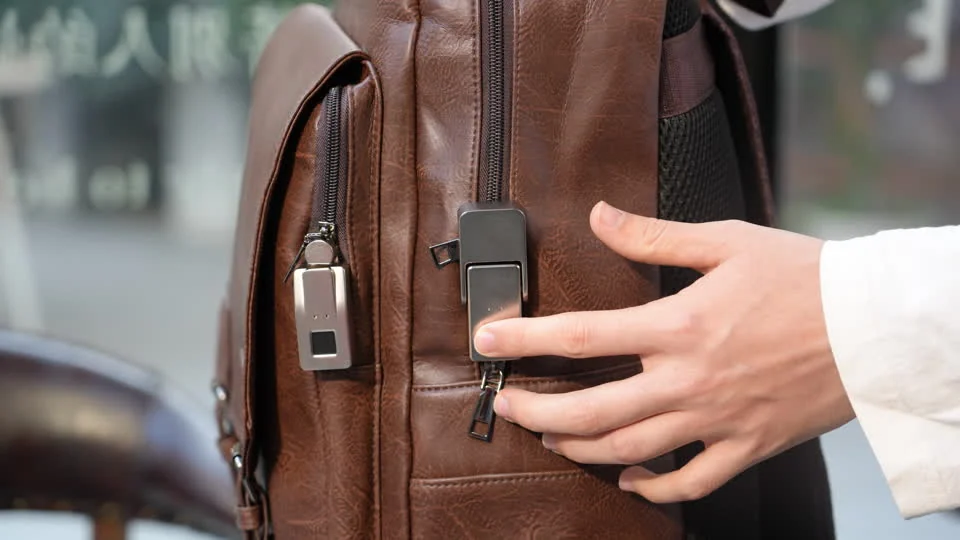
LOCKBB is designed for compatible zipper assemblies on backpacks, travel bags, briefcases and handbags. Check the zipper shape, pull opening and mounting clearance before choosing a model. Watch the S5 and S7 installation videos to compare the two mechanisms.
What is the difference between S5 and S7?
S5 secures the zipper pull beneath a hinged cover. S7 uses a detachable buckle attached to the zipper pull, which inserts into the lock body. Choose the mechanism that suits your zipper and how you open your bag.
Do I need an app every time I unlock?
No. Everyday unlocking uses a registered fingerprint. Follow the instructions supplied with your exact version; app-enabled units may use Tuya Smart for initial setup.
What if my fingerprint is not recognized?
Clean and dry your finger and the sensor, then try again. You can also use your personal emergency tap code. A successful emergency unlock restores factory settings and erases saved fingerprints and the code, so set up the lock again before use.
What happens when the battery runs low?
Repeated red flashes after unlocking mean the battery is low. Recharge using USB-C and a DC 5 V USB power source. The emergency code also needs battery power; it is not a mechanical override.
How do I set it up safely?
Charge the lock and register your first fingerprint while the bag is open. Set and record a personal emergency code, then test that a registered finger unlocks and an unregistered finger does not. Only close the bag once these checks pass.
Order support
A journey worth keeping track of.
Have your order number and the email used at checkout ready to track your order. For Kickstarter pledges, contact LOCKBB through your Kickstarter account.